
How to Remove Power Lines, Utility Wires and Cables From Sky Photos
फोटो से बिजली के तार, केबल और पोल कैसे हटाएं - आसान गाइड

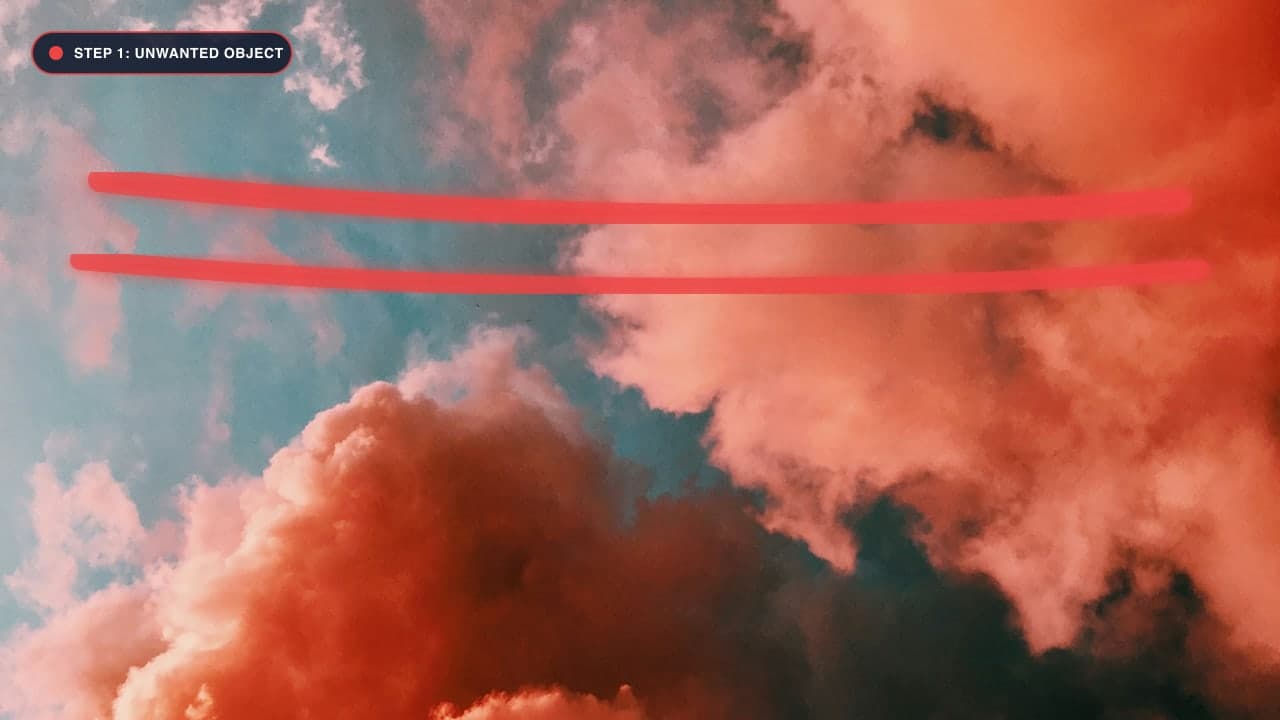

The Frustration of Overhead Utility Wires in Photography
Whether you are photographing historic European architecture, a pristine tropical sunset, or your dream real estate property, overhead utility wires and power lines are an unavoidable blight. Black electrical cables, fiber-optic bundles, and transformer poles slice diagonally across otherwise breathtaking skies and obscure intricate architectural facades.
Traditional clone stamping overhead wires was notoriously frustrating. Because skies feature subtle atmospheric color gradients—shifting smoothly from warm orange at the horizon to deep indigo overhead—copying and pasting sky pixels usually created banding, discoloration, and harsh visible seams.
Fortunately, modern deep learning neural inpainting understands gradient vectors and linear continuity. In this tutorial, you will learn how to erase power lines and utility cables in seconds using our free Photo Cleanup Tool.
The Physics of Wire Removal: Why Brush Precision Matters
Utility wires present a unique computer vision challenge: they are extremely thin (often just 2 to 6 pixels wide on high-resolution sensors), but they span immense distances across the image frame.
Here is the golden rule for wire removal: Use the smallest brush possible that completely covers the cable thickness.
- If your brush is too thin, stray anti-aliased grey wire pixels will remain along the edges, leaving behind a faint "ghost line".
- If your brush is excessively thick (e.g., using a 60px brush for a 4px wire), you force the AI to hallucinate a huge strip of synthetic sky, increasing the risk of subtle gradient distortion.
- The optimal brush diameter is typically 12px to 18px.
Step-by-Step Guide to Removing Power Lines
Step 1: Open the Clean Up Studio
Navigate to the Photo Cleanup Tool. Drag and drop your landscape or architectural photograph onto the workspace.
Step 2: Zoom in to 150% or 200%
Do not attempt to paint thin wires while zoomed out to fit-screen mode. Zoom in so you can clearly see the individual cables against the sky and tree branches.
Step 3: Trace Along the Cable Trajectory
Click and drag your cursor smoothly along the path of each wire. If wires intersect (forming an "X" pattern), trace each line fully through the intersection.
- Continuous Wire Strands: If a wire stretches completely from left to right, trace it in one long stroke.
- Wires Crossing Tree Leaves: When cables pass through tree canopies, trace right over the intersection. The neural network will synthesize natural leaf patterns and branch textures to bridge the gap.
- Utility Poles and Transformers: Don't just remove the wires and leave a concrete pole floating in mid-air! Paint over the pole and transformers down to the roofline or ground level.
Step 4: Generate and Export
Click Remove Object. Within two seconds, the AI inpainting engine calculates the exact atmospheric color transition of the surrounding sky and renders seamless, gradient-matched pixels. Check the intersection points. If everything looks clean, click Download Image to export your pristine photo.
Handling Tricky Wire Scenarios
1. Sunset and Golden Hour Skies
Sunset skies present rapid vertical color gradients (yellow to pink to purple). Traditional tools fail here because they copy pixels from the wrong color temperature. Our neural network calculates directional color interpolation, ensuring the synthesized patch matches the exact color temperature of the surrounding sky slice.
2. Complex Architectural Cornices
When wires pass directly across classical buildings, decorative moldings, or brick patterns, mask the wire segments across the building in small, separate clicks. This allows the AI to rely on structural edge priors from adjacent bricks and window frames.
फोटो से बिजली के तार और केबल कैसे हटाएं - हिंदी गाइड (Bilingual Hindi Section)
सरल और आसान चरण:
- Photo Cleanup Tool खोलें और अपनी फोटो अपलोड करें।
- ज़ूम करें और छोटा ब्रश चुनें: फोटो को ज़ूम करें ताकि तार साफ दिखाई दें। ब्रश का साइज 12px से 18px के बीच रखें।
- तारों पर ब्रश फेरें: बिजली के तारों और खंभों के ऊपर ध्यान से ब्रश चलाएं।
- Remove Object दबाएं: एआई तुरंत तारों को हटाकर बैकग्राउंड के नीले आसमान या पेड़-पौधों को प्राकृतिक रूप से रीस्टोर कर देगा।
- HD फोटो डाउनलोड करें: आपकी फोटो बिना किसी तार या दाग के तैयार है।
Frequently Asked Questions (FAQ)
Can I remove multiple power lines at once?
Yes. You can paint over all intersecting wires across your entire sky in a single masking session, then click Remove once to process the entire sky simultaneously.
What if a wire crosses someone's face or hair?
If a wire runs across a person, use a very fine 8px brush. The AI will reconstruct skin tones and hair textures seamlessly.
Is this tool really free?
Yes, ObjectRemover.in is 100% free with unlimited edits and zero watermarks. For general photo retouching, explore our Magic Eraser Tool.
Try It On Your Own Photo Right Now
अपनी फोटो से किसी भी अनचाहे ऑब्जेक्ट को हटाने के लिए नीचे दिया गया टूल आज़माएं:
Drop your photo here or browse
Supports JPG • PNG • WEBP • HEIC (Max 25MB, Native 4K)