
How to Remove Crowds and Tourists From Travel Photos (Taj Mahal, Monuments & Beaches)
ट्रेवल और वेकेशन फोटो से भीड़ और पर्यटकों को कैसे हटाएं
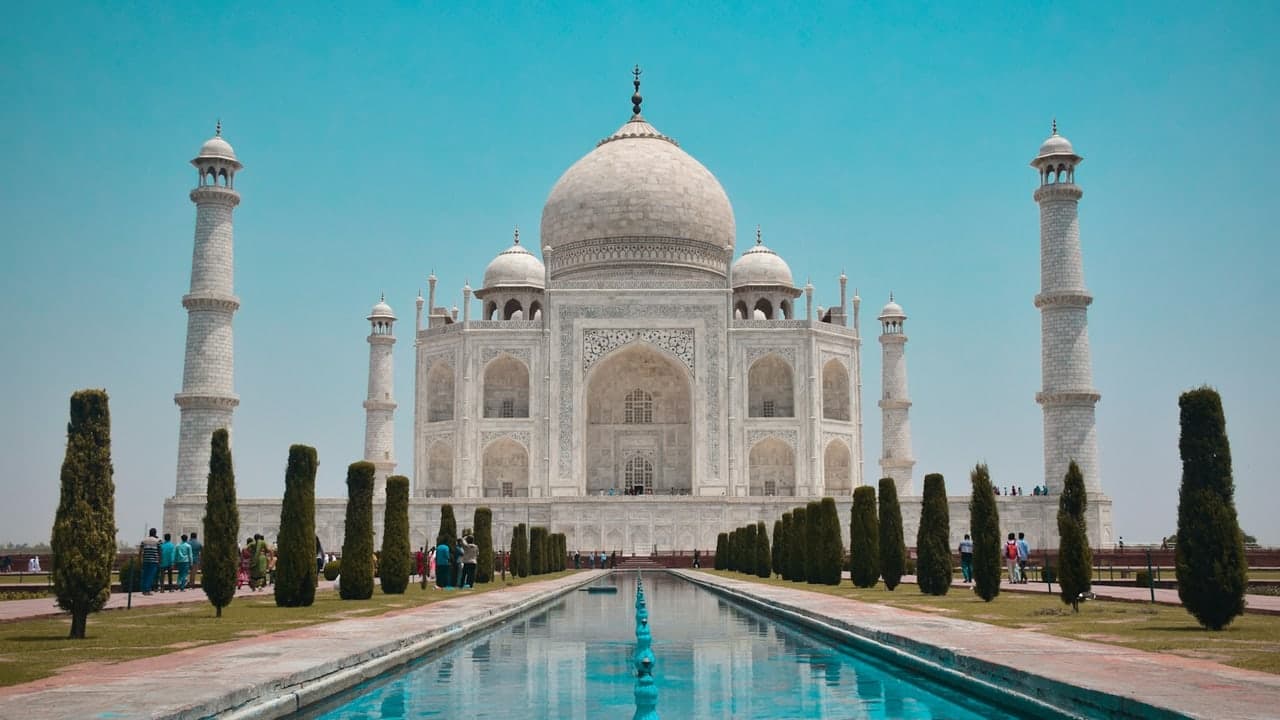
The Travel Photographer's Universal Dilemma
You saved for months, flew across continents, and finally stood before world wonders: the Taj Mahal in Agra, the Colosseum in Rome, the Eiffel Tower in Paris, or a turquoise beach in Goa or Bali. You pose for your dream photo, but the reality of global tourism hits: your frame is clogged with dozens of tourists in fluorescent windbreakers, selfie sticks poking into the air, and tour groups wandering across the plaza.
Waking up at 5:00 AM to beat the crowds is exhausting and often still fails. In the past, clearing a crowd from a landmark required setting up a tripod, capturing thirty sequential photos over an hour, and running a Photoshop median image stack.
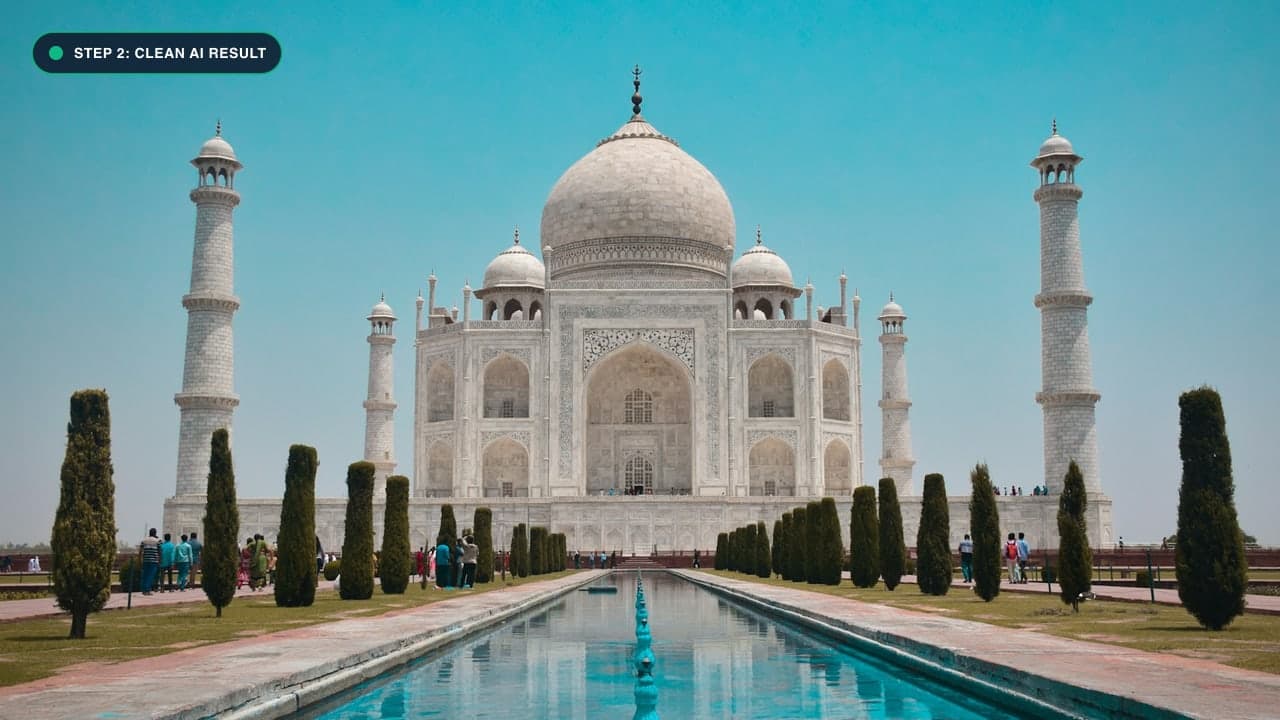
Today, you can take a single candid snapshot and erase the entire crowd in seconds using our free Remove People Tool.
Why Traditional Landmark Photography Techniques Fail
For decades, professional travel photographers relied on two cumbersome physical methods to capture crowd-free landmark photos:
- The 5:00 AM Sunrise Shoot: Waking up before dawn to reach the monument before tour buses arrive. However, in major destinations like Venice, Santorini, or the Taj Mahal, crowds and photographers often gather even before sunrise.
- Neutral Density (ND) Long Exposure Stacking: Mounting a heavy 10-stop ND filter and tripod to take a 5-minute exposure, effectively blurring moving pedestrians into vapor. Unfortunately, this method fails if tourists stand still, if you do not carry heavy camera gear, or if monuments prohibit tripods (which most historic sites now strictly enforce).
With modern AI inpainting via our Remove People Tool, you can shoot handheld on your smartphone in the middle of a sunny afternoon, mask out the tourists in a few clicks, and download a pristine shot of the landmark that looks completely deserted.
The Master Crowd Erasure Protocol
Removing fifty people from a landmark plaza requires a strategic approach. Here is how professional travel creators achieve pristine, deserted landmark photos:
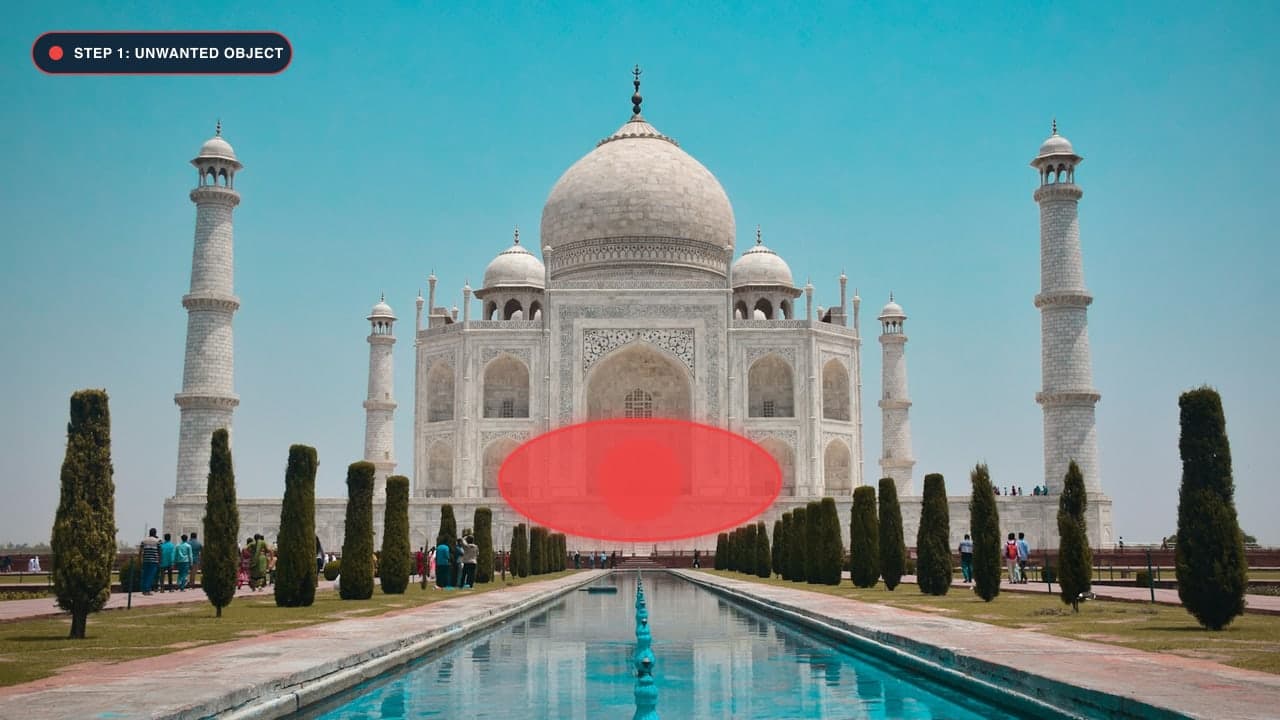
Step 1: Upload to the Dedicated People Remover
Go to our Remove People From Photo Tool.
Step 2: Clean From Back to Front (The Multi-Pass Secret)
Do not try to paint over thirty people in one enormous red blob. Covering too much area in a single pass deprives the AI of vital reference textures:
- Pass 1 (Distant Background): Zoom in to the far horizon or monument steps. Use a small 15px brush to erase the tiny distant tourists. Click Remove.
- Pass 2 (Midground Strangers): Now paint over the people walking ten to twenty feet behind you, including their shadows. Click Remove.
- Pass 3 (Foreground Interlopers): Finally, erase anyone close to your main subject.
Step 3: Reconstructing Marble Reflections and Water Ponds
World monuments often feature reflecting pools (like the Taj Mahal's central lotus pool) or polished marble courtyards:
- When you remove a tourist walking near water, always paint over their water reflection as well.
- The neural network will synthesize natural rippling water waves and uninterrupted architectural reflections.
Step 4: Erase Floating Accessories
Don't forget stray selfie sticks, camera tripods, rolling luggage, and sun umbrellas! Once everything is cleared, click Download Image to save your pristine travel memory.
ट्रेवल फोटो से भीड़ और पर्यटकों को कैसे हटाएं - हिंदी गाइड (Bilingual Hindi Section)
ताजमहल, लाल किला या बीच की फोटो से भीड़ हटाने का तरीका:
- Remove People Tool पर जाएं और अपनी वेकेशन फोटो अपलोड करें।
- टुकड़ों में हटाएं (Multi-pass Trick): एक साथ पूरी भीड़ को मार्क करने के बजाय, 3-4 लोगों के ग्रुप पर ब्रश चलाएं।
- दूर खड़े लोगों से शुरुआत करें: पहले पीछे खड़े छोटे पर्यटकों को हटाएं, फिर सामने वाले लोगों को।
- पानी में परछाई भी मिटाएं: यदि फोटो किसी तालाब या संगमरमर के फर्श के पास है, तो जमीन और पानी पर दिखने वाली परछाई पर भी ब्रश लगाएं।
- Remove दबाएं और डाउनलोड करें: ऐसा लगेगा जैसे पूरी ऐतिहासिक जगह पर सिर्फ आप ही मौजूद थे!
Frequently Asked Questions (FAQ)
Can I remove an entire tour bus or group of tourists?
Yes, using multi-pass erasing, you can clear dozens of people and entire tour groups cleanly.
Does this work on busy beach photos with umbrellas and towels?
Yes! The AI flawlessly synthesizes golden sand, ocean waves, and sea foam where beach towels and strangers were located.
Can I also clean up power lines or street signs in my travel photos?
Yes, visit our Photo Cleanup Tool for wires and street clutter.
Try It On Your Own Photo Right Now
अपनी फोटो से किसी भी अनचाहे ऑब्जेक्ट को हटाने के लिए नीचे दिया गया टूल आज़माएं:
Drop your photo here or browse
Supports JPG • PNG • WEBP • HEIC (Max 25MB, Native 4K)